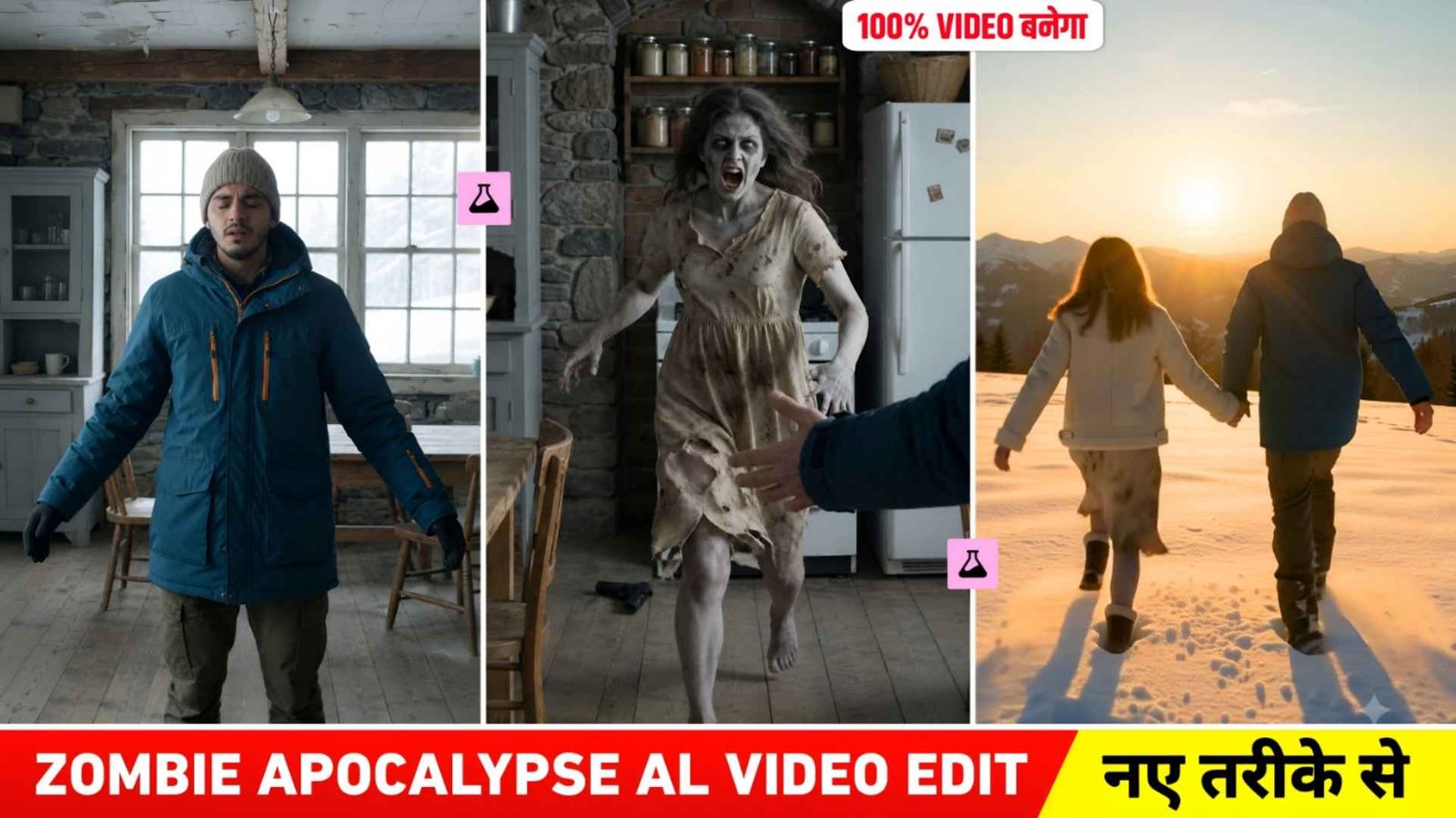
Zombie Apocalypse Ai Video Prompt – At this time, you must have seen an AI video made in the form of a short story on Instagram and YouTube, which people are knowing by the name of Zombie Apocalypse AI Video. This video is becoming so viral at the moment that everyone is thinking of making such a video using their own and their partner’s photos, but due to not knowing the correct editing process, no one is able to make such a video properly. In the video, ordinary photographs are transformed into a short story in which a man sees his partner as a zombie in a snow-covered deserted place. The video starts with fear and emotions, but later the story suddenly turns into a beautiful memory of old times. This change makes this video even more interesting to watch. In this article, we are going to explain this entire process in easy language. Here you will get information about the complete process of making a video, correct use of images, how to copy a prompt and how to create a video with the help of Google Flow.
About Zombie Apocalypse Ai Video
If we talk about the video completely, what is there in the video, how the scene is shown, then if you watch the video for the first time, then the beginning of the video starts with an old wooden and stone house built on a snow covered hilly place. In the beginning, fear, sadness and tears in the eyes are visible on a person’s face. While he has a gun in his hand. His partner is seen in front of the kitchen, but not in his normal form but in a scary zombie form. His partner’s eyes are light brown in color with messy hair and she is wearing old torn clothes. The person slowly lowers the gun, closes his eyes and spreads both his hands. In the next scene, the zombie woman quickly runs towards him and jumps on him. This is where the most important change to the video occurs. In the middle of the jump the scene suddenly cuts to snow covered mountains and the same woman now appears normal, healthy and happy. The two fall in the snow, laughing and embracing each other. You can see the same thing in the entire video.
It is possible that your video may turn out to be a little different in the editing process. But overall, the same scene has been seen in everyone’s videos. If seen, this video shows a scene starting with fear and ending with a beautiful memory and an emotional scene. Rest we tell in the next paragraph what things we will need to make such a video and also which AI tool we should use to make such a video so that our video becomes perfect.
How Can I Copy The Prompt Perfectly?
The entire prompt that created that video is quite long. It doesn’t just contain instructions in a few lines, but details every scene of the video, down to the characters’ clothes, faces, location, camera, lighting, pace, emotions, and timing of different shots. This is the reason why we have not given the prompt inside the article. If we give a big prompt inside the article, it may be difficult to copy, some text may be left due to which your video may not be made. That’s why what we did was instead of placing the entire prompt directly within the article on the website, we created it in a separate Google Document. With this you will not face any problem in reading and copying the prompt. After clicking on the Prompt Copy link given in the article, Google Document will open. There the entire prompt will be found at one place and you can easily hold it, select all and copy. Keep in mind that the prompt is very large, so no lines should be missed when copying it. It would be better to copy the entire prompt at once
Zombie Apocalypse Ai Video Prompt
Make Zombie Apocalypse Ai Video Using Flow Ai Prompt
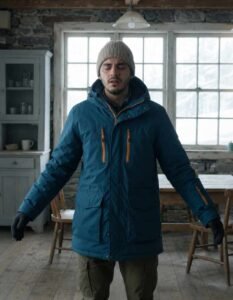
To make such a video, first of all you have to prepare clear and frontal photographs of yourself and your partner. Choose an image in which the face is clearly visible, as the reference image must be clear to maintain facial recognition. In the video After this, to create such a video using the prompt. Your photo, open any browser and search by typing Google Flow and first open the website. Login to it with your Google account. After logging in, click on the New Project option and at the bottom. You will find an option to create Nano. Click on it and select the video option and decide. Whether you want to make the video in landscape or portrait and select the ratio accordingly. Now what to do, click on the plus button on the top side, click on upload and add your and your partner’s photo. Select both the photos by clicking on the plus button in the chat box below.
Also paste the video prompt into the chat box. The thing to keep in mind is that in the video prompt, you will get a text named Image. One and Image Two, which you can remove, put the Gmail symbol and select the photo there. Generate Image one and Image two after that. Your video will be ready in some time. After the video is made, play the video properly and save the video. By clicking on the Save button at the top and you can go to the editing app and edit it as per your choice.
Conclusion
If you also want to make such a Zombie Apocalypse AI Video from your and your partner’s photos. Then the process mentioned above will be useful for you. The special thing about this video is its scary beginning and emotional ending due. To which it looks different from the videos made from ordinary photos. The most important thing is to keep your images clean, copy the entire prompt correctly, and use reference images correctly in Google Flow. Hopefully, with the help of this article you would have easily understood the entire process of video making.