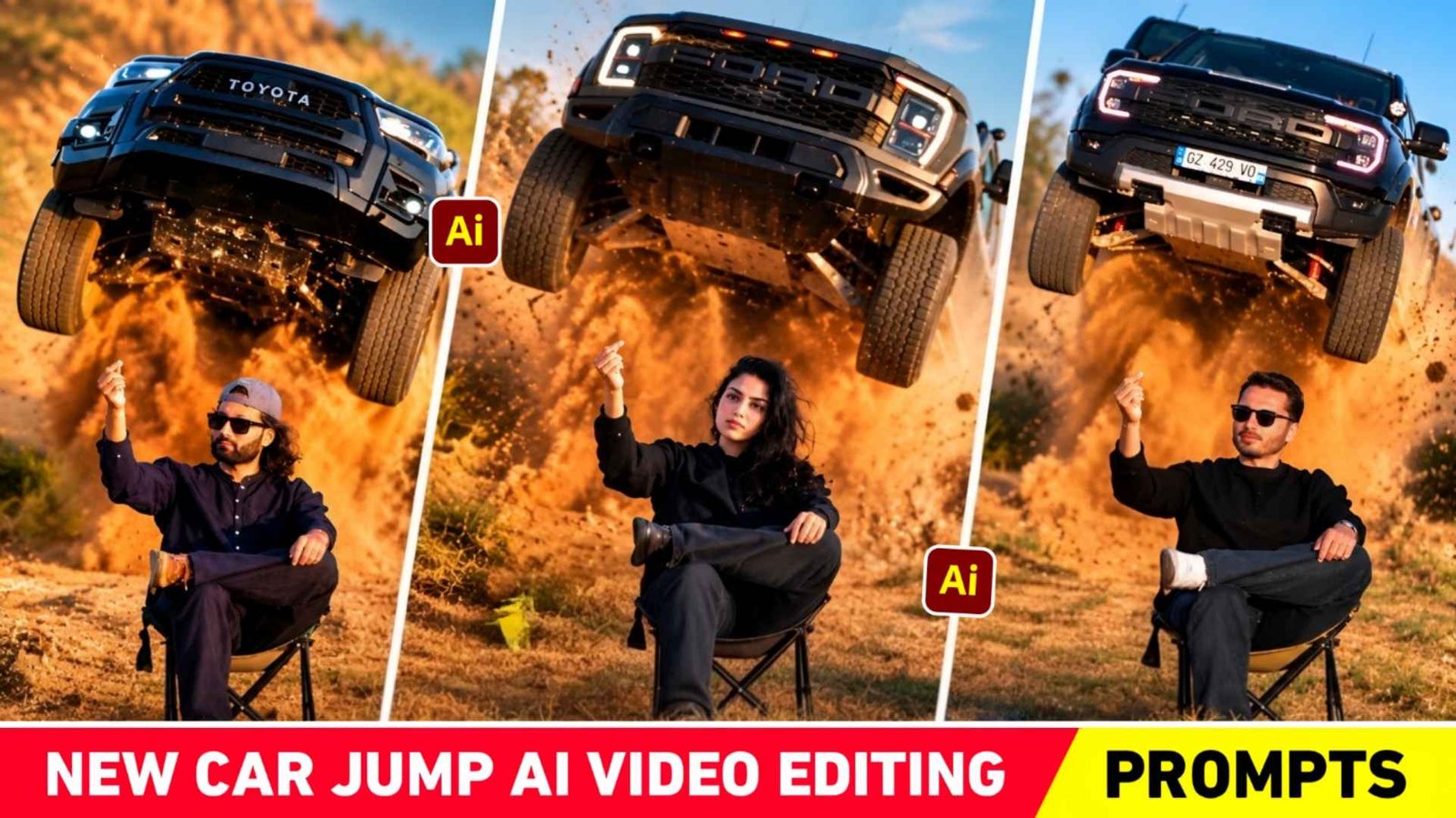
Car Jump Ai Video Prompt – There is a video created by AI which is grabbing everyone’s attention completely. Because the video is so amazing to watch and a bit attitude type that everyone is thinking of making a similar video. The biggest thing is that we can make that kind of video without any editing app. We can create that kind of video only with the help of a selfie photo i.e. reference photo and instructions i.e. prompt. Yes, the video I am talking about right now. That’s a car jump video that you might have seen many creators making these days. The reason for this video becoming so viral could be that just a few days ago, there was a trend of a car driving video which went so viral on the entire internet i.e. Facebook, Instagram WhatsApp and every social media that everyone became crazy about making such videos. A similar trend of car jump videos is also being seen. That is why people want to make and post the video as soon as possible so that it goes viral.
If you have also come to this website with the purpose of making a car jump video, then you have come to the right place because in today’s article we will give complete information about making such a video. Be it what kind of photo we should use. Which AI tool should be used. How should a video be made. Everything will be explained step by step in each paragraph.
Complete Information Car Jump Ai Video Prompt
If you play the car jump video carefully, you will see the same thing in it. There is a background of hills i.e. there is a background of hills which is of open fields. In which a boy is sitting on a chair in a very attitude pose with one leg placed on the other. Instead of a boy, you can also watch a girl’s video because girls are also very interested in making such videos these days. In the video, the entire frame of the boy is recorded from below with a lot of movement. After recording a short video, the boy makes a pinch and suddenly a very spectacular vehicle comes jumping from behind him, which we can also call an entry. As soon as the car enters, a lot of dust starts flying in the air and as soon as the entry is made, the video is completely made in slow motion due to which the car slowly moves downwards. Which looks exactly like a movie scene. This is the reason why everyone is interested in making such a video. The second reason is that the background music has been used as per the video.
What Do We Need To Make Such A Video?
To make a car jump video, it is very important for you to have three things. Only then can you make that kind of video in a very real way, that is to say, with your real face. The first thing should be your own photo. Your own photo should be such that your face is clearly visible. Also the photo should be of HD quality. Secondly, in whatever AI tool we create such a video, we will use our photo along with the reference video so that the AI will prepare your video on the basis of the reference video. Third, a good prompt if we upload the photo plus video in the AI tool. But unless we tell AI what to do using our photo or this reference video, it will not understand anything. Therefore we will tell them through an instruction. In the chat box so that it becomes easier to understand. So we can tell this thing easily through prompt. If these three things are available with you, then anyone can make such a video easily. We have provided two things in this article.
Prompt and Refrence video, click the remaining photos as per your convenience and keep them ready. If you do not click the photo properly then the face will not match properly in the video made. Therefore, try to click the photo carefully. Click the photo with your front camera only of the face, so that the entire focus is on the face.

Learn The Process Making A Video
Once all three things are available, the process of making videos is much easier. Two AI tools can be used to create videos. First Google Gemini, second Google Flow, only those people can create videos through Gemini who have the option of create video available and this option will come only when they subscribe to Gemini. Secondly, we can make videos with the help of Google Flow. Everyone can make videos with Google Flow. So we both know about making videos with AI.
Car Jump Ai Video Prompt
AI PROMPT
VIDEO CREATE
1. Gemini
To create videos with Gemini, install the app from Google Play Store. After installing the app, login and click on the plus button shown on the screen and select the video option. Then click on the plus button and click on upload to upload your first photo and also add the reference video that you have saved from here. After adding both the things, copy the prompt given in this paragraph properly by clicking on the copy button and then go to the chat box and paste it and directly click on the generate button. After waiting for some time, your video will be made easily.
2. Flow Ai
To make a video with the help of Flow, search by typing Flow Ai in any browser and open the website and login with your Google account and first select the video option, then select the ingredient option and select 9:16. Add the video with the photo by clicking the plus button at the top and clicking Upload. Generate by pasting the prompt in the chat box. Wait for a while, and the video will be ready. After the video is made, make sure to add the same song. To it with the help of editing app, only then the final video will be ready.
Last Word
If people are thinking of making a video like Car Jump or Entry video which is going viral. Then today’s article is going to be very special for them because complete information. This article explains how to make such a video. How we have to take a reference video then take our photo and make the video using prompt. In this we have given information about making that kind of video through AI. Using which anyone can easily make videos. Not only this, after making the video, which song to add and how to edit it. We explain everything clearly in the complete video, so watch it once.