Funny Dance Ai Video Prompt – Videos made by artificial intelligence now appear so real that it has become difficult to recognize them. Is this video really real or has it been created by artificial intelligence. Recently, if you have used Instagram, then you must have come across a video in the reels feed of your Instagram which has been made by AI, which people are knowing by the name of Celebrity Funny AI Video, in which you will see some celebrities dancing and some recording and some getting down from the car. This kind of dance video is becoming so viral at the moment that everyone wants us to make such a video using our photos. We have seen many content creator brothers on YouTube and Instagram who are giving tutorials for making such videos, but no one is telling us what is the correct method. There are only a few people who are telling about making such videos in the right way, but let me tell you. To make such a video, we will also need a reference video and some prompts. Only then can such a video be made.
What Is In Celebrity Funny Dance Ai Video
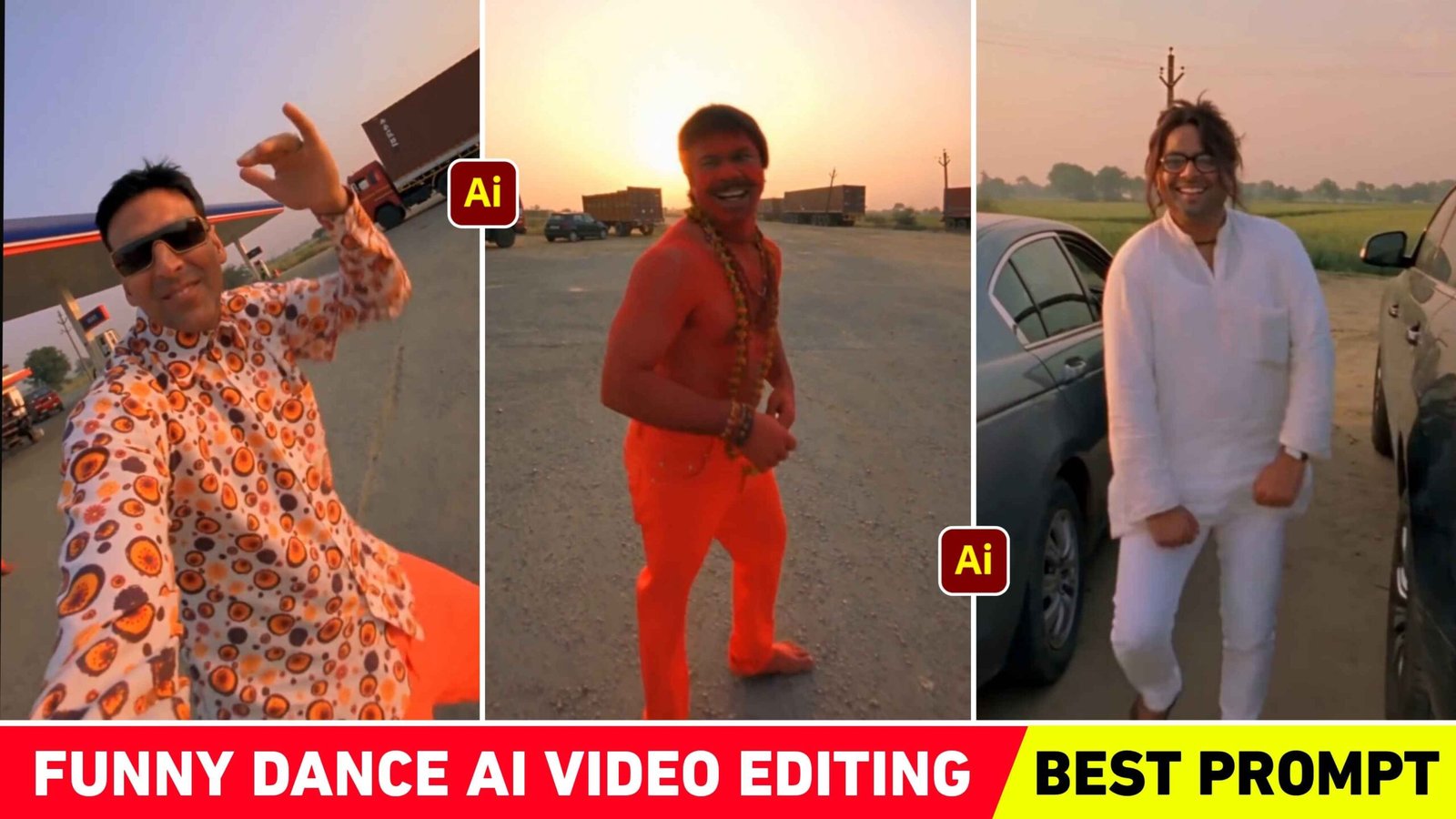
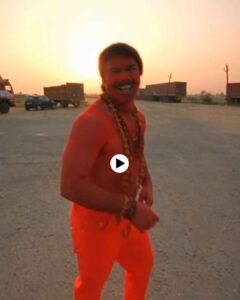
The viral video starts with an open field petrol pump background in which various types of vehicles like trucks, motorcycles, jeeps etc. are seen. You will see a boy dancing very well and shouting in the open field. A very good DJ song keeps playing in the background. The boy whose dance video is shown, i.e. the one who records the video, turns the camera towards himself and is also seen dancing. Then he turns the camera towards the same boy and zooms a little and takes him near a car. Out of which a boy comes out and shows his body dancing according to the song. People are so eager to make this trend because they can make whatever video they want using their photos. If he wants to do it while getting out of the car, he can do it or if he wants to dance in the open field, he can do it or he can do it while holding the camera. Meaning, to make such a video, we will need about three photos and in the prompt we will have to show the place where you want to be.
If we want to make such a video by taking three photos directly, we can do it, but it will require more time and good AI tools. If we make such a dance video with the help of the same reference video, then we can make it very easily and in less time.
What Is The Role Of Reference Video Going To Be?
The role of reference video in funny dance ai video will be that we will create such a dance video using our three photos and in the ai tool in which we will give the reference video to make such a video, that ai tool will try to make a similar video using your photo by looking at the same reference video. Till now, as far as I have seen, people use Google flow and gemini to make any kind of video with the help of reference video, so we will learn to make this funny dance video with the help of Google flow and gemini only. Just save the reference video first. If you want, you can also take the reference video from Instagram, otherwise in this article we have given a button named Reference Video, on which you can also take it. After taking it, be sure to keep three of your photographs ready, in which your face is clearly visible. If you use blurry or low quality photo then the face will not match properly in the created video. Be sure to keep this in mind.
Refrance Video & Prompt
AI PROMPT
Recreate the uploaded reference video exactly shot-for-shot as a photorealistic vertical 9:16 video.
MOTION & CAMERA LOCK: Copy the reference video’s exact dance moves, body/hand gestures, walking path, timing, rhythm, camera movement, handheld shake, pans, whip-pans, 180° selfie rotations, framing and cuts. Do not add, remove or change any movement. Use the reference video only for motion, camera and timing—not faces, clothes or textures.
CHARACTER REPLACEMENT:
- Reference Image 1 – Dancer: Replace the dancing man with this person. He appears only in the opening dance, performing the exact same movements. He never holds the phone or appears in selfie shots.
- Reference Image 2 – Camera Operator: He holds the phone throughout the entire video. In both selfie turns, including the first and final selfie, his face, expressions and movements must match the reference video exactly.
- Reference Image 3 – Passenger: Replace the man exiting the parked car with this person. He exits, walks toward the camera exactly as shown, and remains in the background during the final selfie. He never holds the phone.
Preserve all original motion, timing, camera path, framing and scene continuity exactly.
How To Make Funny Dance Ai Video Using Flow Ai?
To create the exact same dance video using three different types of photos along with reference videos and prompts, first of all you have to search Google Flow. In any browser and first open the website and login with your Google account. After logging in, select the video option shown below and select 9:16 and upload all three photos. By clicking on the plus button at the top. Also add the reference video that you have saved from here. It may take some time for the reference video to upload. That’s why wait a little. After uploading, first add the video by clicking on the plus button. On the left side of the chat box at the bottom and select all three photos. Now paste the funny dance ai video prompt that I have given in this article properly in the chat box. After pasting, please look at the prompt carefully. If Image One, Image Two or Three will be seen, then instead of Image One, select the photo. Which you want to appear in the first scene by pressing the gmail symbol on your keyboard.
Similarly select Image 2 and Image 3. After that click on the send button on the right side as soon as you click on the send button. Video making will start. After waiting for some time, the same video will be created as you have added the reference video. Watch the video carefully and save it and go to the editing app and make the video completely by adding the same song.
Last Word
Right now the dance video is going viral on Instagram. Are you also thinking of making that kind of video. Then today’s celebrity funny dance ai video prompt can prove to be very good for you because by using this prompt. You can make exactly the same video very easily. How to make videos and how to use reference videos. Which ai tool to use. Everything has been explained thoroughly in this article. If there is any difficulty in making a similar video using the reference video along with your photo. You can definitely ask us in the comment box. If you want to watch editing tutorial videos related to this, then you can definitely connect with us on Instagram. Similarly, keep visiting our website for new types of prompt background preset editing tips related to editing. If you like this article then do share it with your friends.