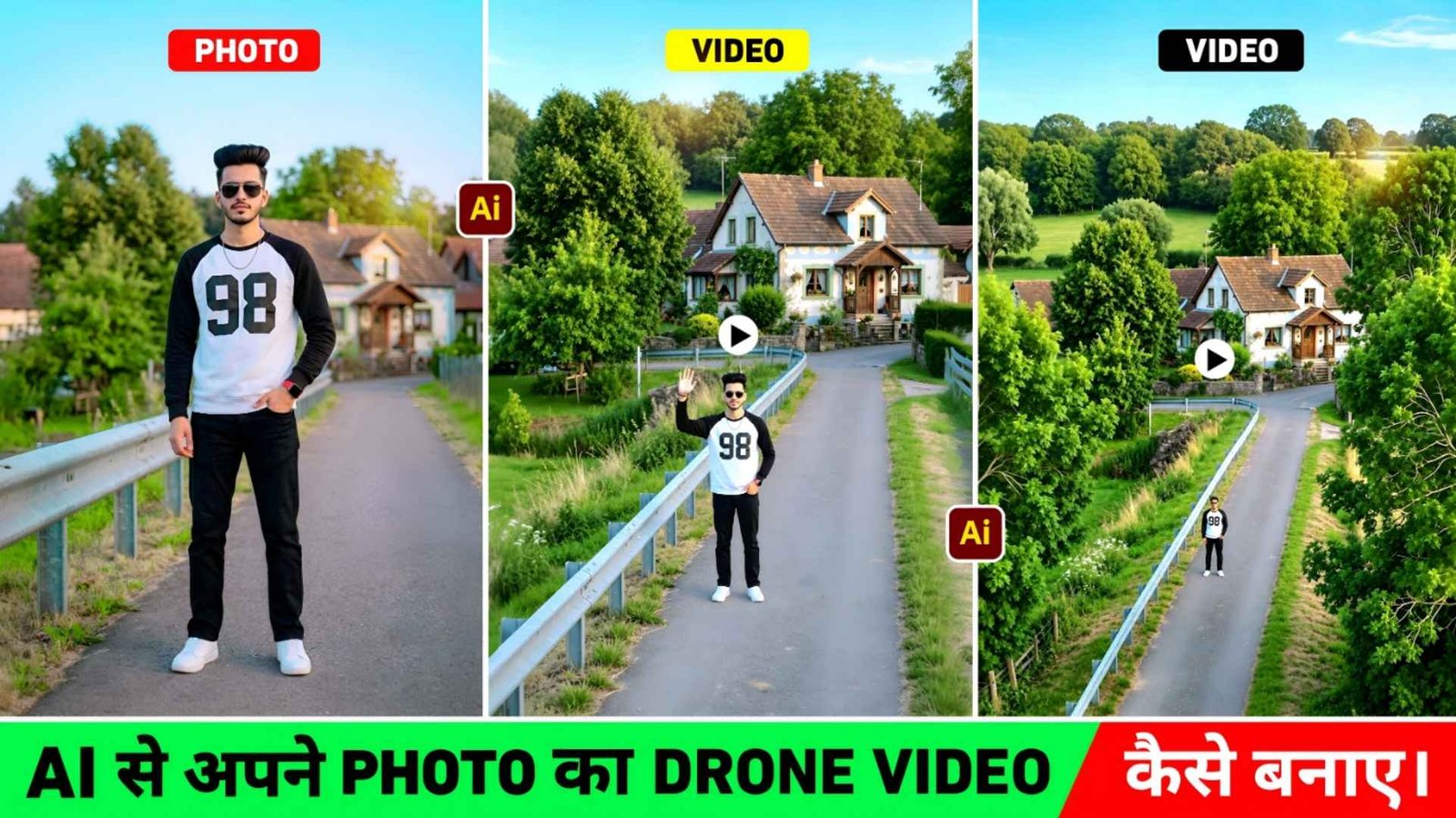
How To Make Drone Video – Friends, a few years ago if a person had to get a drone video made of his house, village, farm, city or any beautiful place. So he had only one option – drone camera. But everyone thinks before buying a drone camera. Only those who really need it buy a drone. This is because its price is quite high and it also requires experience to operate it. Used to take. You must have often seen that whenever a wedding, mundan, tilak, birthday or any other function is organized at someone’s house in your village or city, the person making the video is specially called. With it, a drone shot of the entire house or village is also recorded. Similarly, traveling vloggers and content creators also use drones to make their videos attractive. But with time there has been a huge change in technology. If you have a clear photo of your village, city, farm, house, temple, river or any place, then the same photo can be made into a drone-like flying video in just a few minutes.
Today many modern image-to-video tools have become so advanced that they can animate a simple photo in this way. In this article we will tell you in detail how to turn a simple photo into a drone-like video. Which tools are useful for this purpose, what should be kept in mind to get good results and most importantly, at the end we will also share the same drone video making prompt.
Photo To Drone Video Editing Complete Guide
The method of creating video from photos has evolved a lot compared to before. If you have a clear and high quality photo of a village, city, farm, mountain, temple, road or any other place. You can easily make a drone-like video. In such videos, it feels as if the camera is slowly flying up and showing a view of the entire area. This is why these types of videos are becoming increasingly popular on social media nowadays. To create drone video from photos, there are many platforms available that provide image-to-video feature. Among these, the most discussed are Google Gemini’s Create Video option and Flow AI. But not everyone can make a video with gemini, this is because it has been seen that Create Video option is not available in everyone’s gemini, only those people who are subscribed can make videos. On the other hand, Flow AI is also being used by a large number of people because its interface is simple and it gives good quality results. That is why we will tell you how to make a video with flow AI only. We are also going to share the best prompt in this.
Can Ai Actually Create Realistic Videos?
In current times, if you spend time on social media like Instagram, Facebook, YouTube. Whether it is related to watching videos or reels editing or any kind of information, you must have seen it often. Some photos and videos related to AI definitely keep coming in front of you. Have been seen often. Nowadays, most of the videos related to AI keep coming in people’s feed and if seen at first glance, it looks quite real. It won’t seem like this. Artificial intelligence created this video. If we are thinking about making a video and also want the video made to look exactly like the original, then we should take the original photo which is clear, well lit and of high quality. So that the video prepared from it also looks quite real. But one more thing is that it is not necessary that the video made depends entirely on the photo. If the photo is blurry, poorly lit, or of very low quality, the video will not be as impressive. Similarly, if the prompt is incomplete, the direction or speed of the camera will not be as you expect.
Drone Ai Video Prompt

How To Make Drone Video Using Flow Ai?
If you want to create a drone video from photos for the first time, the process is quite easy. First of all, take such a photo from your mobile or camera in which the entire scene is clearly visible. Try that the photo is straight, there is enough light in it and the main place is completely visible. Now select the Image to Video tool. As I already mentioned in the first paragraph that most of the people are more interested in creating video from image using Flow Ai in today’s time. That is why I am going to tell you step by step that when your photo Is clicked and you get a prompt. How to Create a Drone Video Using Google Flow with a Prompt
- Type Google Flow Ai in any browser and search.
- Login to it with your Google account.
- Then click on the New Project option and select the Video option.
- If you want to shoot a video in landscape, select 16:9. If you want to shoot a video in portrait, select 9:16.
- Upload photos from your device by clicking on the Start option.
- Paste the prompt into the chat box and click the send icon.
- Now your video will be ready in a short while.
Conclusion
If a few years ago someone had said that a drone-like video could be made from just a photo, it would probably have been difficult to believe. But today technology has advanced so much that this work is absolutely possible. Now you neither need to buy an expensive drone nor call a video maker every time. If you have a good photo of your village, city, house, farm or any beautiful place in your mobile, then a wonderful drone style video can be created from it. In today’s article we have given information about this very thing. How you can make drone video from any type of photo. Hopefully the information given in this article will be useful to you. Now it’s your turn to try it yourself. Below we have also shared the same prompt. With the help of which you can convert any of your photos into a great drone-like video.