Navratri Ai Photo Prompt – The month of October has started and as the month of October approaches, various types of festivals start coming closer to us. As you know, the festival of Navratri comes in October which is celebrated with great pomp all over India. This year in 2026, Navratri is starting from 11th November. We saw on social media that people are uploading different types of content related to Navratri festival. Be it a photo or a video. What are people doing often? Using artificial intelligence, various types of pictures or videos are being created and shared, which are going viral very fast. I am an editor and often tell people about new types of editing. Whether it is related to photos or videos, new trends emerge on social media. Let me tell you all about the editing process. Now the festival of Navratri is very near and I know that on Navratri there are many people who are thinking of creating their own photo using chatgpt or Gemini but due to not getting the right prompt they are not creating the photo.
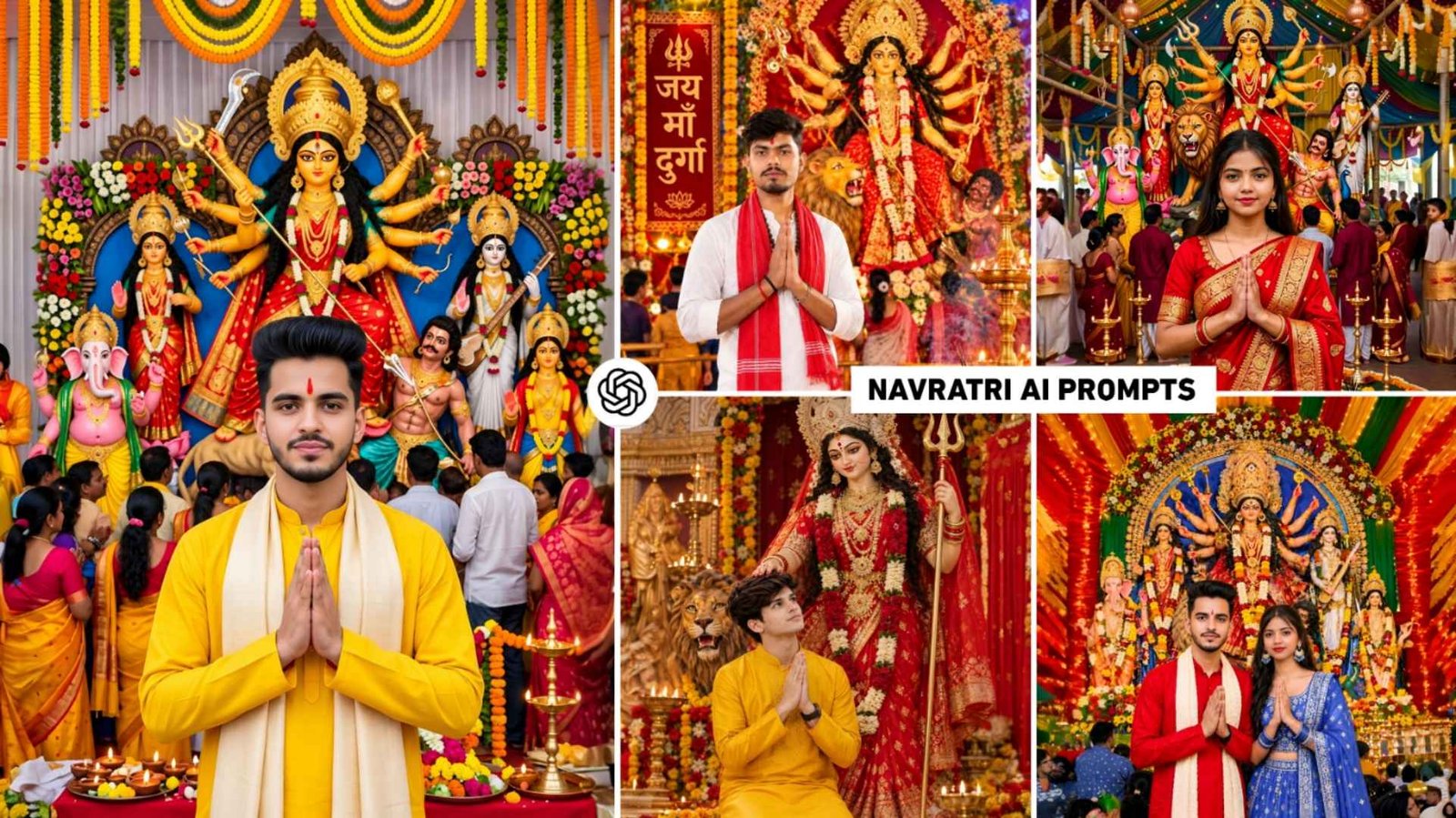
Keeping these things in mind, we thought that I would tell you about making some such pictures on Navratri i.e. Durga Puja and also share the prompt. So in this article, we are going to share with you prompts to create new types of photos on Durga Puja. Which can be used in both chatgpt and gemini to create amazing photos. As seen in some thumbnail photo samples.
Details Of Navratri Ai Photo Editing
In this article, we will share with you the prompt to make not just one but 5 to 6 different types of photos on Navratri, so that whichever photo you like. You can easily copy the prompt by looking at the photo and then use it with your photo to create a photo. On Navratri, we have shared a prompt to make a very simple picture, as you must have seen that wherever Navratri festival takes place, huge pandals are set up on a large scale. Lights are installed which means it is completely decorated and the idol of Maa Durga is placed in it in a good manner. We have often seen what people do on Navratri. They go to the pandal right in front of the idol of Maa Durga, click their photo and share it on social media. Keeping these things in mind, we thought why not tell us about making similar photos. Moreover, the idol of Maa Durga shown in the picture will be exactly like the ones made in Uttar Pradesh and Bihar.
Select Your Favorite Photo And Customize Prompt
See, in this we have shared a prompt to make photos not only for boys but also for girls and couples. Therefore, if you are a boy then choose such a photo which shows a boy’s photo because the prompt we have given is given along with the photo so that it can be known which type of photo can be made with which prompt. That’s why before copying the prompt, definitely choose your favorite photo. Only then create the photo using the prompt. Apart from this, if you want that the color of the pandal in the idol of Maa Durga in our photo should be of aesthetic type or cinematic type or so. If it is of the same color then copy the first prompt properly. Then add it in Notepad and add the text as per your requirement or remove the text which is already available in it and write the text as per your requirement as per the need of the Pandal or the idol of Maa Durga.
Not only this, if you want the pose style in our photo to be different. If I am wearing different clothes then all this can be done easily by changing the text in the prompt.
Navratri Ai Photo Prompt
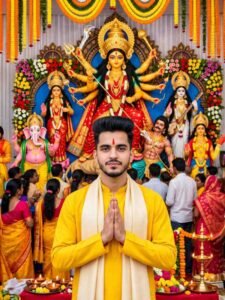
AI PROMPT
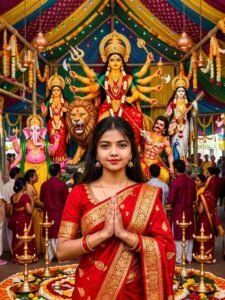
AI PROMPT
Durga Puja Ai Prompt
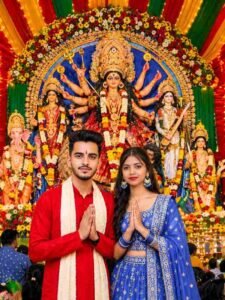
AI PROMPT
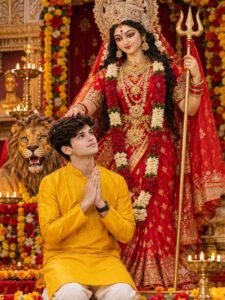
AI PROMPT
Important Information
Important Information: First of all, I created the prompts in this article specifically for this website. Moreover, I only used a few AI-related words and terms where necessary to explain the image-generation process. Therefore, I wrote the complete article content myself and did not use AI to generate the entire article.
How To Create Navratri Ai Photo Using Prompt
The process of making photos is very simple and easy. If you want to make photos with chatgpt, then first keep in mind that only a few photos can be made with chatgpt. About four to five pictures can be taken at one time. That means there is a daily limit and photos can be taken only up to that limit. If you make a photo with gemini then it may also be there. There should be a limit. That’s why if you believe me, try making photos from both and choose the photo which gives the best results. Moreover, I am telling you step by step. How to create photo by copying prompt and using it with your photo.
- Install Chatgpt or Gemini app from Google Play Store.
- Open the app and login with your Google account.
- To create a picture, select the Create Image option shown on the screen.
- Upload a good quality photo of yours using the media option.
- Now enter the same prompt in the chat box which you have copied from here.
- Click on the Send Button Icon on the right side.
- Now your photo will start being created.
- Wait until the photo is taken
- Once the photo is created, click on it and have a good day.
- Click on the Save button icon above or below to save.
Final Thoughts
Those who also want to create a fabulous photo using their own face related to Durga Puja i.e Navratri. Today’s article on Navratri is going to be very special for them because this is what has been mentioned in this article. How to create Navratri festival photo using a selfie photo and your own photo using prompt. This article shares Navratri Ai Photo Prompt for creating different types of photos. Whether it is for a boy, a girl or a couple, definitely make a photo once using the given prompt. If there is any difficulty in making the photo, then you can definitely ask us in the comment box. Secondly, create photos with both photo chatgpt and gemini, which yielded perfect results. Share the same on social media.