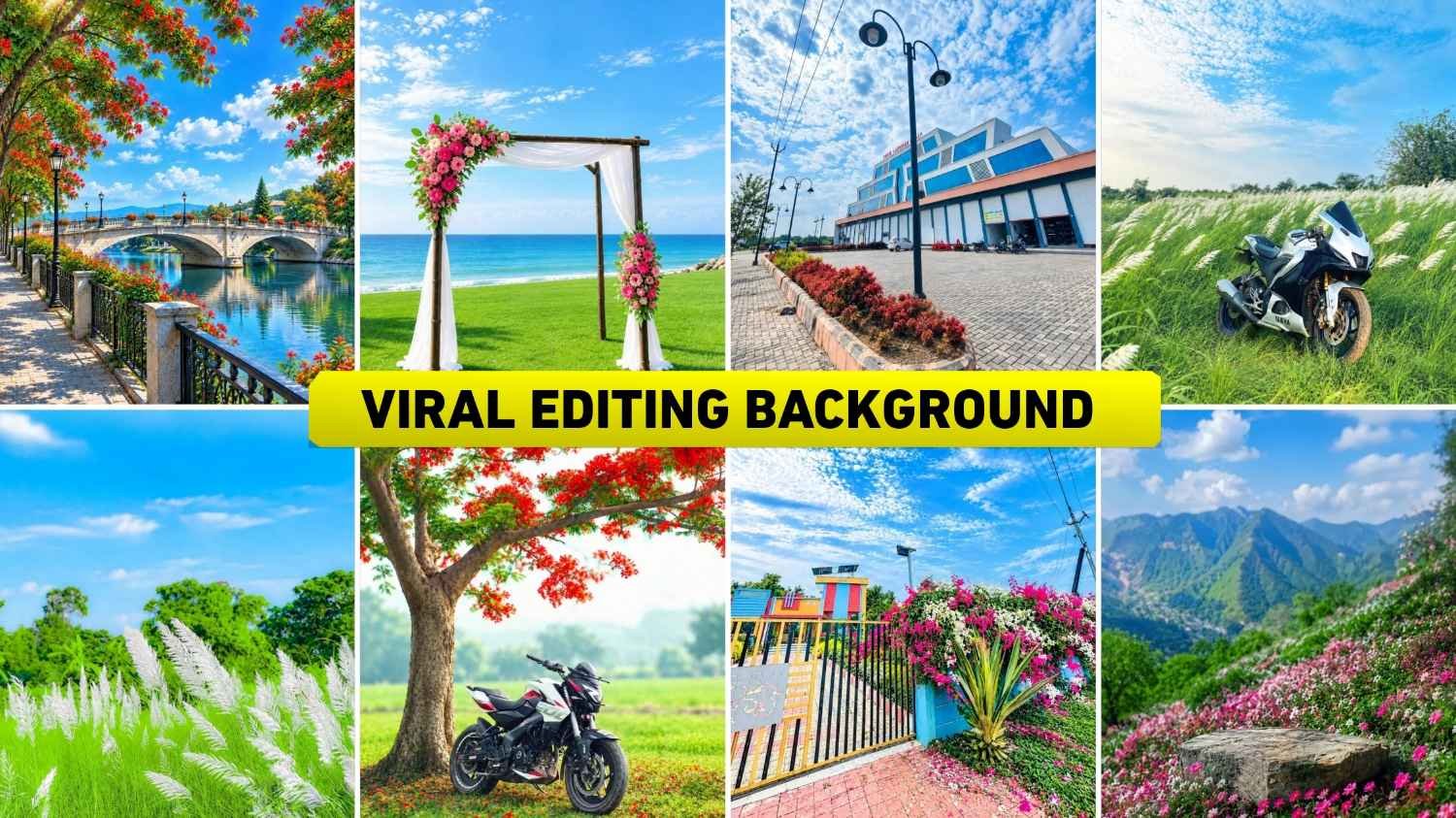
Background Change Editing – You may have noticed that many people on Instagram are increasingly enjoying background-changing photo editing. They use Chatgpt & Gemini to select any background they like and then give them instructions: “Add this background to your photo and edit it properly.” Believe me, it creates such a beautiful photo. It almost doesn’t even appear that the background has been changed. This kind of background-changing photo editing is becoming so viral right now that people are easily creating photos with whatever background they want. It’s quickly become a new trend in photo editing. With this in mind, we thought we’d share some backgrounds to help you create your own photos with all these viral backgrounds. We’ll share everything from background saving to the editing process. So, read each paragraph carefully, as we’ll also share how to create such a photo. We’ll also tell you what kind of photos should be used for such editing.
Background Change Photo Editing
You must be aware that earlier people used to tell about creating photos with background change by using different types of applications for editing photos with background change, be it PicsArt, Snapseed, Photoshop, all these editing apps. No matter how well we want to do background change photo editing using editing apps. But we do not get as much perfect results as we should. In photo editing with background change, we have seen that people are using many different types of backgrounds like nature background, flower background, hill background and many other such backgrounds to create the photo. That is why in this article we will share all types of photo making backgrounds which are currently being liked by the people. Secondly, to make a photo on this background, you will need a full body photo. If you use a half body photo then the result of the photo will not be as good. That’s why if you believe me, first click a good photo of yourself. If you are unable to click a photo, then through chatgpt you can create your full body photo with just a selfie photo.
After that, using the same full body photo, you can easily create a photo on this type of background. Before making photo look carefully at all the background which is to make your photo in background. Save it well. After saving, you can use that background with your photo.
What Kind Of Photo Should Be Used For Such Editing?
In order to do any kind of editing, it is better to take such a photo in which the face is clearly visible. The photo should not be too blurry and there should not be too much bright light or deep darkness on the face. It is even better if the body is visible in the entire photo, because it becomes easier to blend the photo properly with the new background. At the same time, if we use a half-body photo, then our editing makes no sense because it looks as if the background in the photo has been changed. If you have only half the photo, you can use that also. The photo should be clear and well lit. If the clothes are clearly visible then the photo will look better in the new background. While taking a photo, try to keep your face towards the camera and not cover your face too much with hair or hands. Do not use too many filtered photos, as this may cause difficulty in recognizing the real face. The most important thing is that the clearer and more natural the photo is, the better the result will look after changing the background.
Viral Editing Background





AI PROMPT
Save Hd Quality Photo Editing Background
See, if you want to create a photo using 1 to 2 backgrounds, that is, you are thinking of creating your photo using only a few of the backgrounds I have given, then you can easily save it by holding and pressing on the background. But keep in mind that by doing this the quality of the background will deteriorate because the background will not be saved in HD. Its size will be in KB. That’s why if you want to save in MB i.e. HD quality, then we have given a button with the background. By clicking on it, you can easily save all the backgrounds in full HD quality with the help of Google Drive.
Make Background Change Photo Editing Using Ai Tools
The process of making photos is very easy as I already mentioned. People often use chatgpt and gemini for such background change editing. If you don’t use any editing app now, I have the same request. You can also create such background changing photo using chatgpt or gemini. Just save all the backgrounds properly for this. What to do after that in HD quality. Also click your photo properly and install chatgpt from Google Play Store. After you log in with your Google account, you will see it on the screen. First select the Create Image option and then with the help of Media option. Add the background to your photo and tell in the chat box. What you want to do. If you are having trouble writing instructions in the chat box, we have also given a prompt with background. In paragraph four that you can use. After taking the prompt, click on the given send button. Within some time, your background changed photo editing is ready.
If anything goes wrong the first time like the face doesn’t match. Damages the body, does not apply shadow. So there you can tell that you have not done this thing. In our photo, then correct me and give it to me.
Last Word
A new background change photo editing trend is currently gaining popularity on social media. In which everyone is taking any kind of background and editing it by adding it to their photo. Today’s article we talked about doing similar editing. In this article, we have tried to share with you all the backgrounds of photo editing with background change that are going viral right now. So make sure to create your photo on all the given backgrounds and upload it on Instagram. If you have any kind of problem in editing. You can definitely tell us in the comment box or you can also connect with us on Instagram.