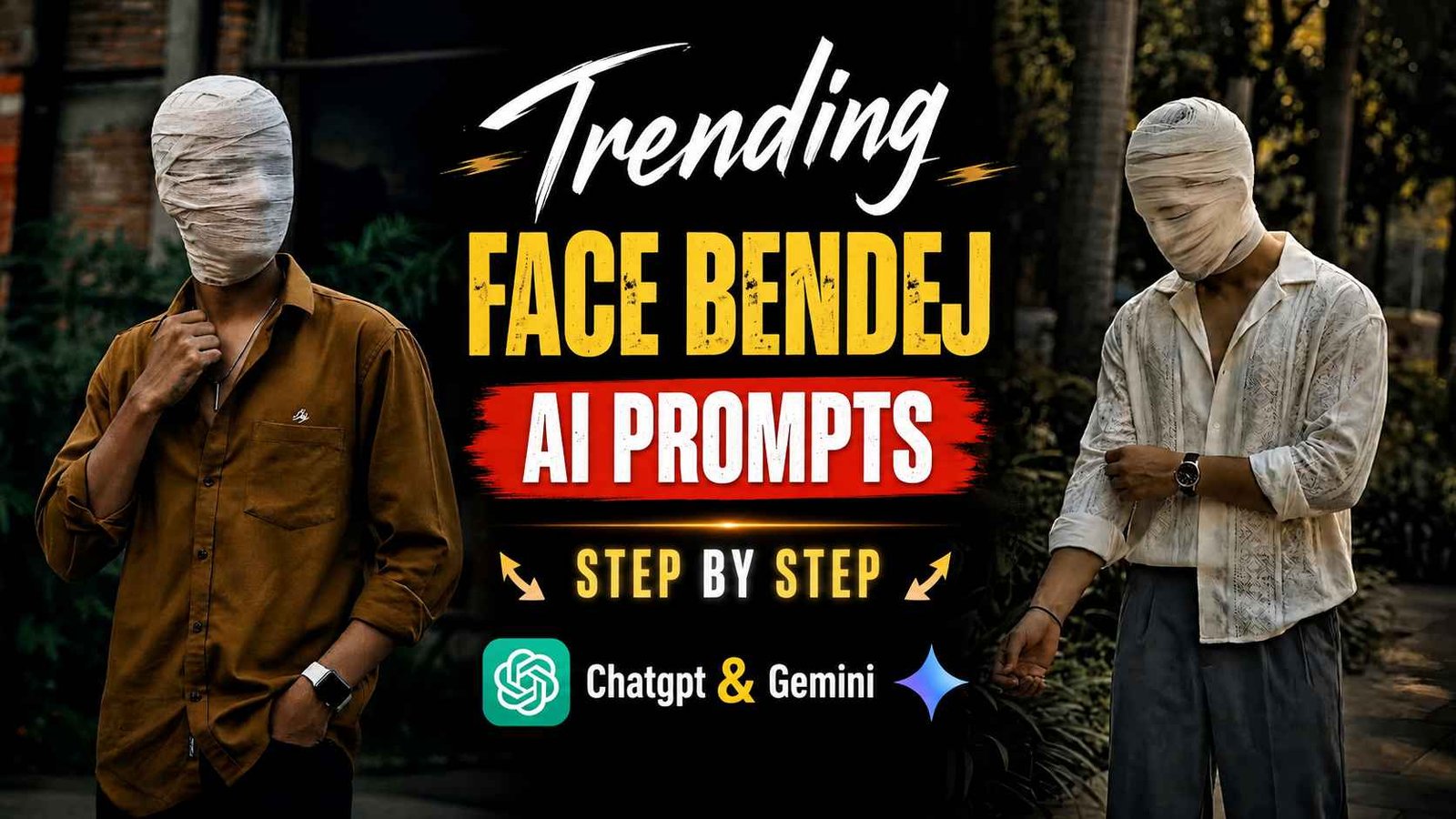
Face Bandage Prompt – You must be aware that every day on social media, especially Instagram, people create and share new types of pictures using AI, especially Chatgpt, and the most unique picture is the one that has never been created before. When a picture like that is created and uploaded or shared, it immediately goes viral. Then other people also start uploading such pictures and within no time that picture suddenly starts trending. Recently I saw the same thing on Instagram, a boy used AI to create a photo with a bandage look on his face and when he shared it, others became interested in creating such a photo and within no time that photo started going viral, which people are now knowing by the name of Face Bandage Ai Photo Editing. People keep their normal photo or as they say, their original photo. In that, he is creating a picture by giving a bandage look on his face. In today’s article we are going to tell you about making a similar picture. Which AI tool should we use and what kind of prompt should we use to create such an image.
What Is Face Bandage Ai Photo Editing?
Face Bandage Ai Photo Editing is a very creative AI image editing concept. Using your original photo as reference, a realistic look of your face being wrapped in bandages or cloth is created. In this, AI understands the person’s stunning looks and visual details from your reference photo. After this, it creates a new cinematic portrait with the face wrapped in bandages, which looks great. The effect of bandage on the face alone does not make this photo special. The background lighting, clothing, body pose, camera framing and overall color grading of the image also change its look significantly. For example, using a dark urban background and low-key cinematic lighting can make a photo appear more mysterious and unique, while using a clean background and soft lighting can make it look simple in comparison. The most special thing about this editing style is its mysterious look, which despite a large part of the face being covered, makes the photo look completely different from a normal portrait. For this reason, these types of photos are often used for Instagram DPs, reels covers or creative social media content.
You can make this in very little time. All you have to do is upload your original photo and follow the instructions; After this the AI will prepare your photo as per your instructions.
Customize Face Bandage Photo Editing Prompt
Friends, if you want to make the photo a little different as per your choice, then you can add similar details in the given prompt. For example, you can change the background to an urban outdoors or a dark cinematic environment, or adjust the color of your shirt or clothing, lighting, mood, and overall color grading in the photo to your liking. What I mean to say is that you first add the given prompt in Notepad and whatever you want to change, add text and change it as per your requirement and then you can make the photo as per your requirement. If you want, you can also specify the bandage effect as per your desired look. If you want a more tightly tied bandage on the face, then you can specify the wrapping in more detail in the prompt; On the other hand, if you want a lighter effect, then you can ask to keep the bandage more natural and simple. Apart from this, small changes can also be made in the framing and pose of the camera. However, if your goal is only to maintain the identity and natural look of the person from the reference photo.
Here’s The Prompt

Create Face Bandage Ai Photo Using Prompt
To create an AI photo with a face bandage, first you need to choose a good quality photo of yourself in which your entire face is clearly visible. It would be better if you use a photo in which your upper body or portrait is clearly visible and the pose is natural. Don’t use photos that are too blurry or blurry, or the AI may have trouble understanding your reference photo. Next, you’ll need to upload your reference photo to ChatGPT or Google Gemini. After the photo is uploaded. Must use the image creation prompt. The prompt explains how to use the reference photo and what the final image should look like – the face, bandage effect, clothing, background, lighting, and everything else cinematic. After applying the prompt, the AI will create an image for you. After getting the results, you not only have to see whether the bandage is visible on the face or not, but also look at the entire image carefully to see whether the background, the look of the clothes, the details of the hands, the lighting on the body. how the bandage is wrapped, all of it looks natural or not.
If the results aren’t to your liking the first time. You can fix the prompt with ChatGPT or Gemini using the same image as reference.
Conclusion
Now a new trend of photos created by AI has come on the internet. Which everyone knows by the name of face bandage photo editing. In today’s article we have talked about making similar photos. Face Bandage Ai Photo Editing’ is a unique. Creative concept that gives a mysterious and cinematic look to an ordinary photo. You can easily create this style using ChatGPT or Google Gemini and a simple AI prompt. Simply upload your original photo, apply the prompt, and customize the result as needed. You can also create unique variations by trying different outfits, backgrounds, and cinematic lighting.