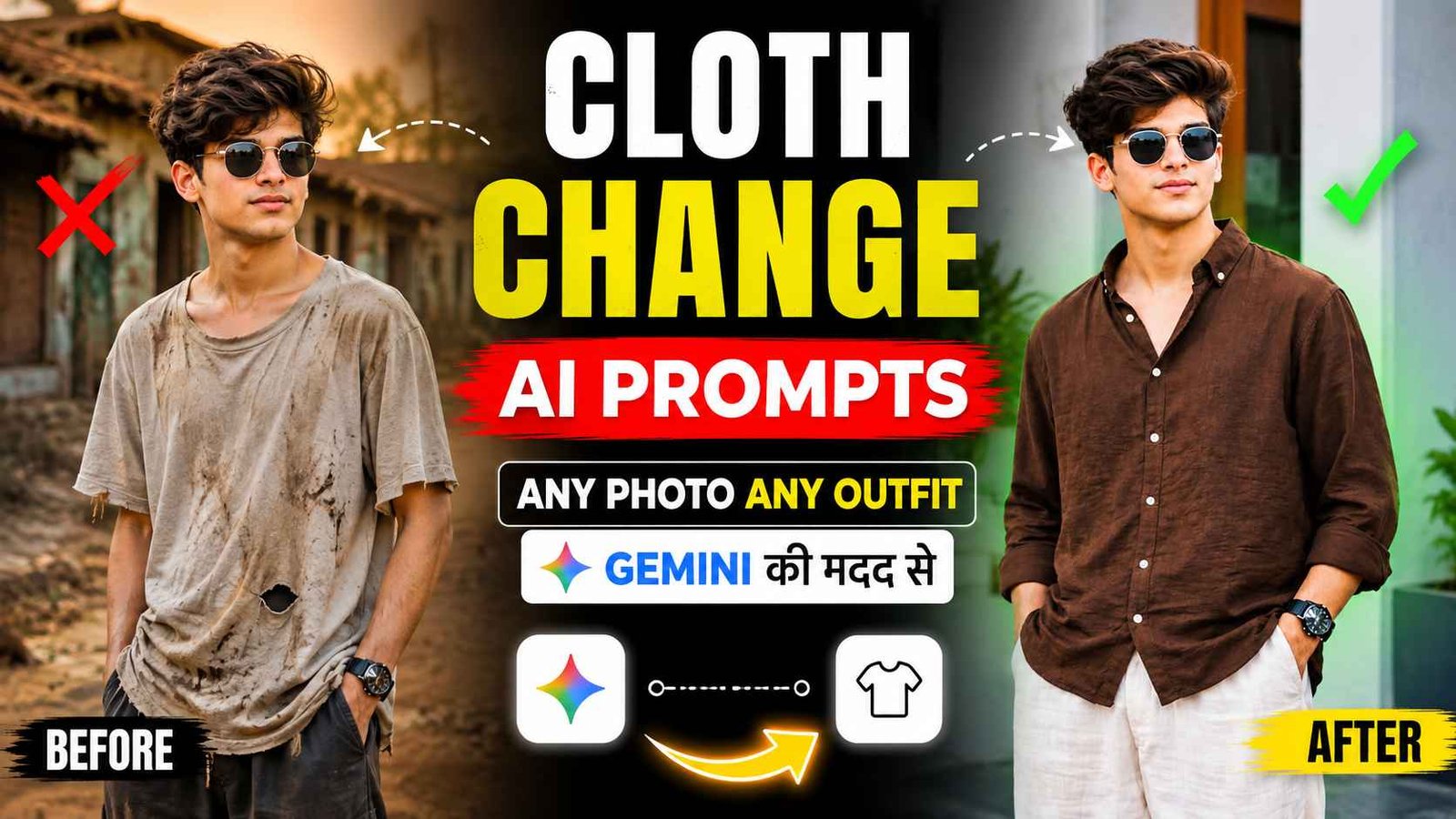
Cloth Change Prompt – Friends, if you want to try different types of clothing looks in any of your normal photos, then Gemini AI Clothes Change Photo Editing Prompts can prove to be very useful for you because with the help of prompts, you can easily change any of your photos into different outfit styles like T-shirt, shirt, printed shirt, baggy jeans and many other modern fashion looks. For this you just have to upload any of your photos in Gemini app. After that, use the prompt given with the photo given in this article as per your choice. After which Gemini will automatically change it into different styles and you will be ready with a new look. In this article, I am going to give you a total of 10 different Gemini prompts to try different clothing styles on any of your photos. You can use the given prompt to change the clothes in every type of photo. Be it a half body photo or a full body photo. I will share some prompts in this article. If possible, I will provide the remaining prompts in WhatsApp channel.
How Ai Cloth Change Editing Became Popular
Look how clothes change photo editing became popular, this is what people used to do a few years ago. Whenever she went for a photo shoot, she would carry different types of clothes with her so that whenever she uploaded the photo on Instagram or anywhere else, it would not appear that she is wearing the same outfit in every photo. That’s why what did people do? First, they would take different types of outfits and after seeing different locations, they would change each outfit and click photos. But ever since the option of cloth change photo editing came in gemini, people started becoming very happy because now it is happening wherever people go. They click different types of photos there and what do they do when it comes to posting them. In the photos of each location, different types of clothes are worn through AI and then shared. By doing this, everyone feels that every photo has been taken in different poses and at different locations. This is the reason why everyone is liking the feature of changing clothes in photos through AI.
Cloth Change Prompt


How To Use Gemini Clothe Change Prompt?
To use these France, first of all friends you have to upload a clear photo of yourself in the Gemini app, keep in mind that the photo should look really good, after this friends you have to copy any clothing print given below, then you have to open Gemini and then paste the same print there and click on the send button, after this friends your photo will start getting generated, if you want to see different outfit styles then friends you can also try the remaining prints one by one on this photo, friends what will happen is that you will get a better result. And if you want a good result, you need to use a good photo in which your face and the entire outfit area are clearly visible.
In What Types Of Photo Can I change My Clothes?
Look, let me tell you, whatever prompt is given in this article. You can use those prompts to change the clothes in your photos for all types of photos. No matter what kind of photo it is. But yes, this prompt will work very well on those photos in which your entire outfit is visible, that is, if you are thinking of changing clothes in a full body photo, then this prompt will work very well on those photos. Apart from this, if someone takes a half body photo in which his pants are not visible. Only shirt or t-shirt is visible. This prompt will work very well on those photos also. Overall, this is what I would like to say. This prompt will work well on all types of photos. If the AI changes your face after you change your clothes in the photo, be sure to write one word in the prompt: “100% real face. Do not change your face at all in the photo we created. Keep it as it is in the photo. Just change your clothes.”
If you add this word, there is a chance that your face will not be changed in the photo we created.
Final Thought
With the help of En Gemini Ai Cloth Change Prompt. You can easily explore different fashion styles in a single photo. From a t-shirt to a shirt, a sweet shirt, a printed shirt, and baggy jeans. You can try different looks in just one click and choose the style that suits your taste. Moreover, You can easily create a new, creative outfit look every time and share your favorite photos on any social media platform. So keep visiting our website every day for new photo editing or VN template or Photo Editing Prompts.